

 GitHub
Raven stopped queueing
Guest threads running in parallel, a lot fewer stops, new benchmarks and the Notepad++ number that annoyed me.
Almost 740 commits since the last post here. Yes, I counted them, and no, I’m not going to list them all :D
Most of this round went into one thing that you can’t see in a screenshot: how Raven runs the threads of a program. It’s the most invasive change since the C++ rewrite, so let me explain it a bit.
One thread at a time
Until a few weeks ago Raven answered the calls of a program one at a time. A program could have fifty threads, but only one of them was talking to Raven at any moment, the others waited for their turn. It’s the simplest way to make things correct, because nothing in the runtime ever has to worry about two threads touching the same window or the same handle at once.
It’s also slow, lol. A game that renders on one thread and plays audio on another spends a lot of its time just waiting in line, and a browser like Chrome has dozens of threads all asking for something.
Each thread on its own
Now every thread of a Windows program gets a host thread of its own, and most calls are answered right there, beside the turn, without waiting for anybody. Events, semaphores, mutexes, condition variables, waits on addresses, files, the registry, virtual memory, Vulkan submissions, presents, the monster under the bed… all of these go in parallel now. Where the kernel has /dev/ntsync, waits on Windows objects go straight through it, and when it’s not there Raven uses its own implementation, which of course is less performant.
Now, running things in parallel is also the best way to get bugs you can’t reproduce, and I really didn’t want to spend my nights chasing a deadlock that happens once a week on someone else’s PC.. I mean.. again.. lol so I moved the core of the waits to Rust, but before writing a single line I described how they should behave in TLA+ and let TLC check it, and then I checked the Rust code with loom too. Yes, it was a lot of work, no, I don’t regret it (yet) lol
For the “why Rust?” question, well ofc because Rust is the answer to everything like “Btw I use Arch” 👀 … no well tbh.. loom only exists for Rust, and it’s the thing that runs the code in every possible order of the threads for me, which is exactly what I wanted for this part.
The desktop got kind of the same treatment, windows, device contexts and message queues were all under one big lock, now there are many small ones, so if a thread is drawing in its window it doesn’t block another one drawing somewhere else.
Oh and guest threads don’t run under ptrace anymore! There’s a small agent living inside the guest that passes signals and system calls to the runtime, way cheaper than stopping the whole thread every single time :D
Starting faster
A program that starts and exits at once now takes about 0.04 seconds on Raven, against 3.9 on Wine 11 and 0.8 on Soda. Part of it is a warm host: when you start the same program again, Raven already has a process ready and only has to load what’s different.
Sandboxing and more
This one I care about a lot, also because sandboxing is one of the main reasons people use Bottles today. And if you read the first post, you know Raven started from the problems I kept hitting while working on Bottles, like this one:
Maybe you fix the program you installed it for, and another one that was working until a minute ago stops working.
Well, now every program you install gets its own layer over the prefix, so what it changes stays its own, doesn’t break the others, and you can throw it away. The runtime itself is confined with Landlock, programs only see the host files you grant them (or the ones you pick in a file dialog that Raven draws, not the program), and a prefix or a single program can be kept off the network completely.
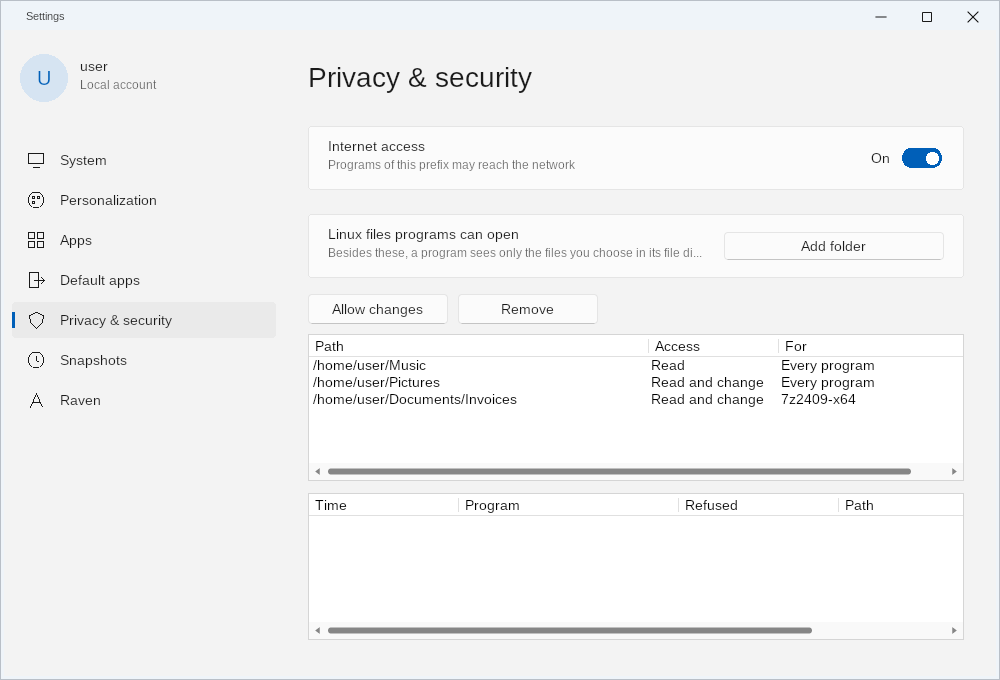
All of this lives in the control panel, which got a lot of new stuff. In Privacy & security you turn the network on and off and choose which Linux folders the programs can open, for every program or just one, read only or not. There’s also a list of what got refused, so when something doesn’t find a file you know why:
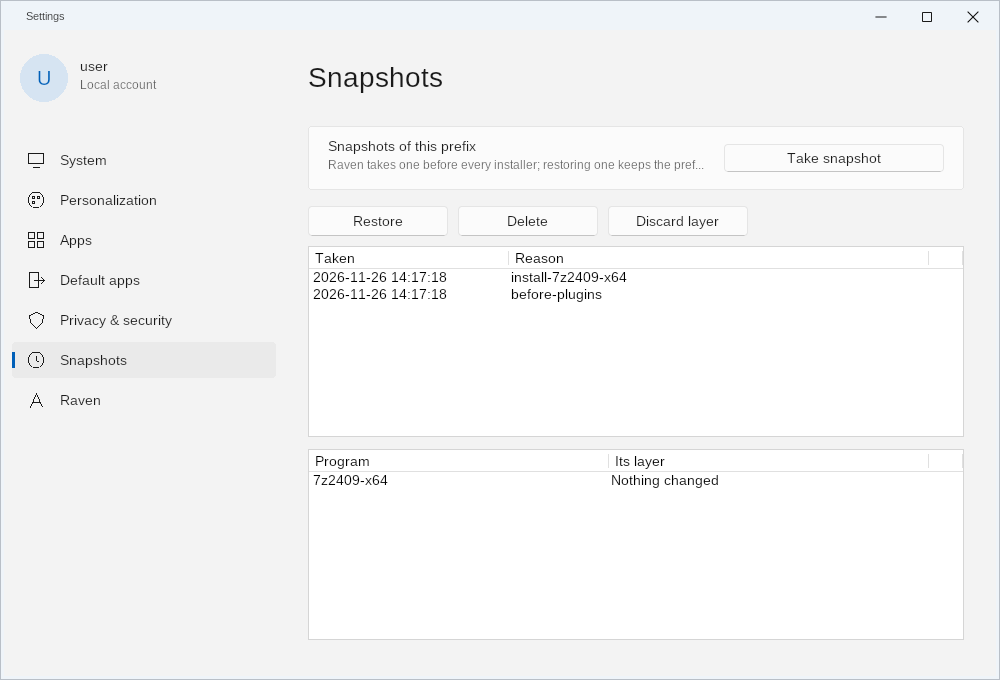
Snapshots shows the snapshots of the prefix (Raven takes one before every installer, so you can always go back) and the layer of every program, which you can throw away with one click:
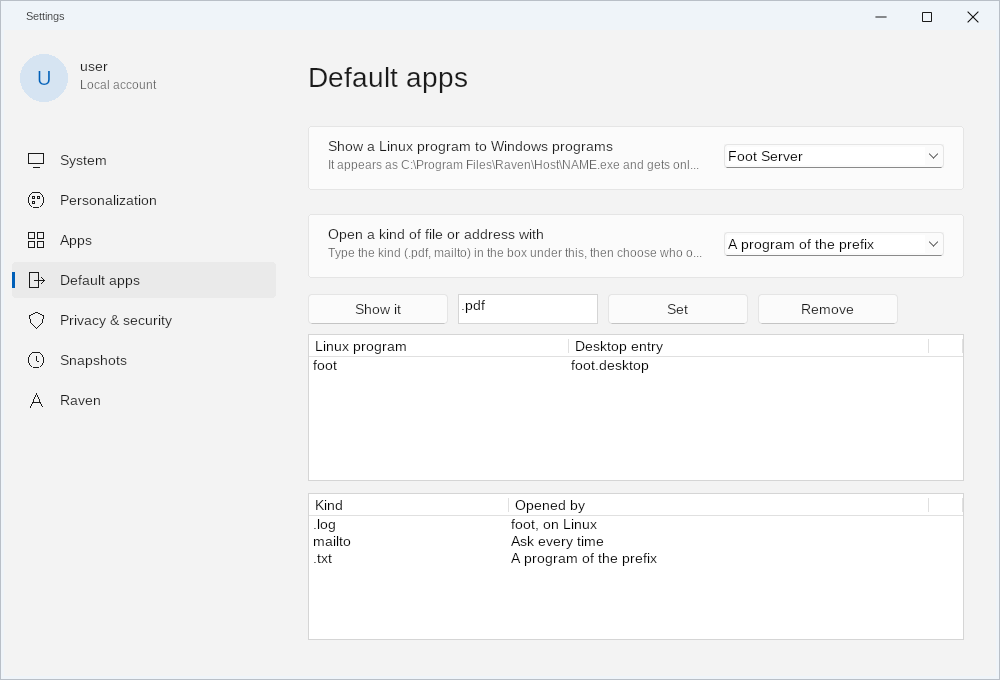
And in Default apps you can show a Linux program to the Windows ones, and decide who opens a kind of file or address: a program of the prefix, a Linux program, or ask every time. The Linux program only gets the files the Windows program could reach anyway:
Sound, and some programs
Raven now has its own sound engine, with winmm and DirectSound on top, the audio resampler and the ACM converters, for both 32 and 64-bit programs.
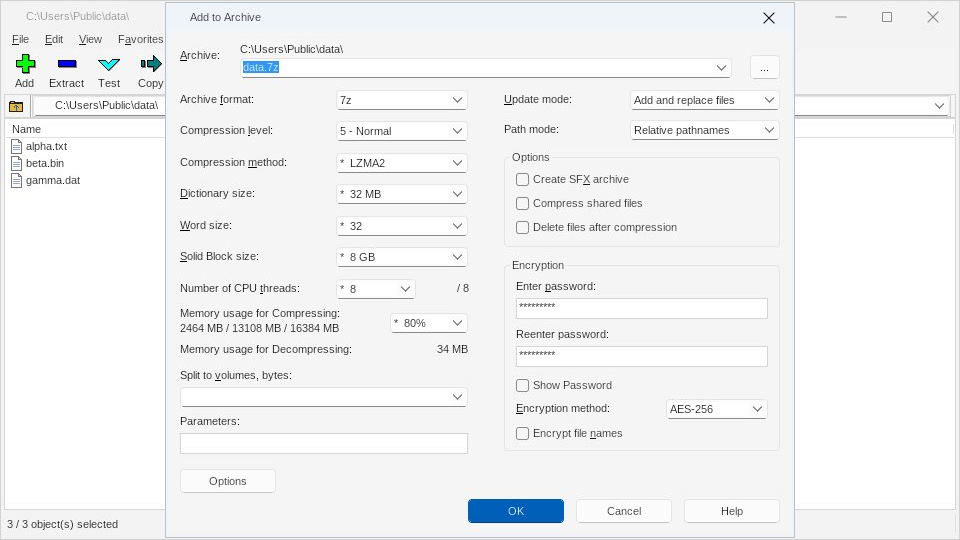
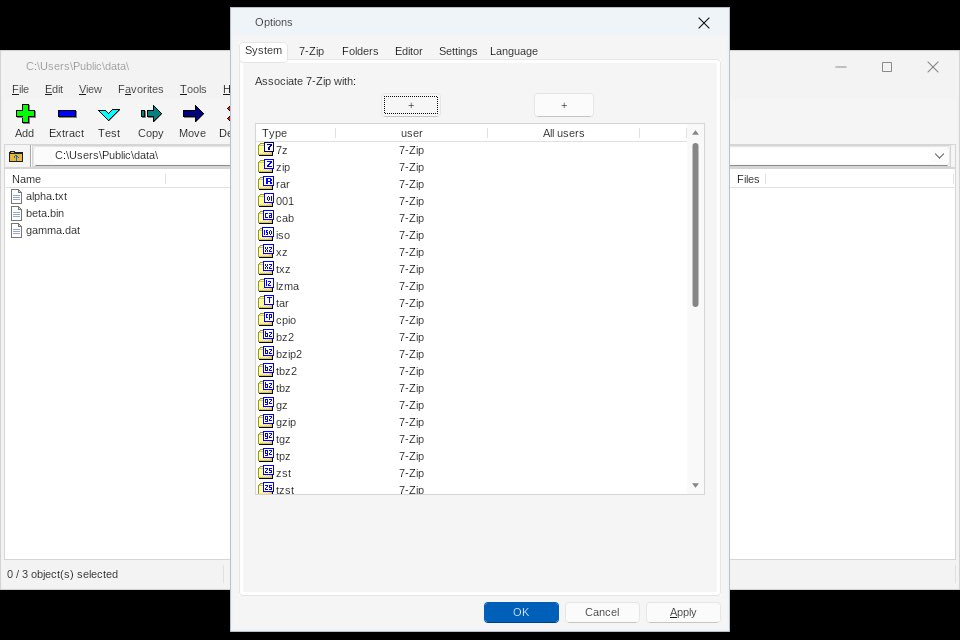
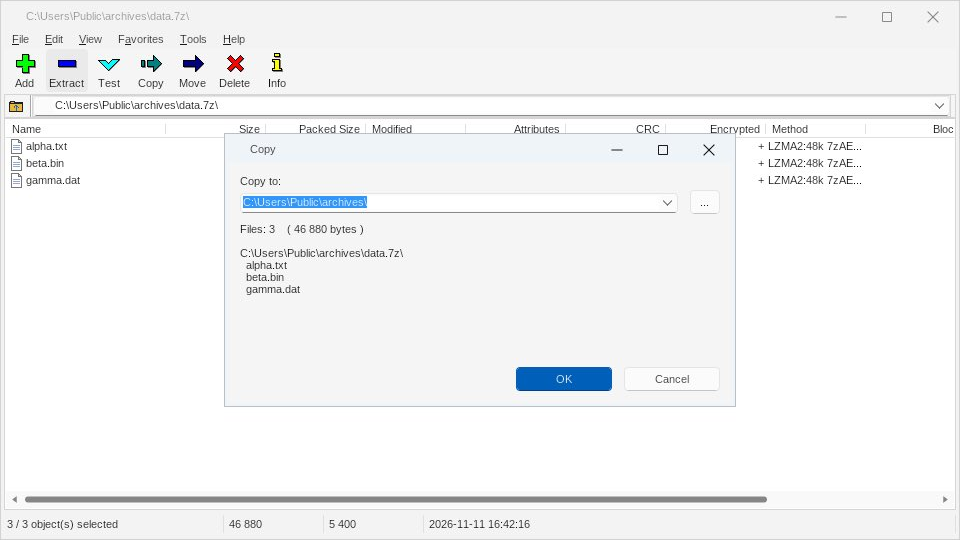
7-Zip 24.09 installs from its own EXE or MSI and works: archives with passwords and AES-256, extracting, and it even registers its file associations like on Windows:
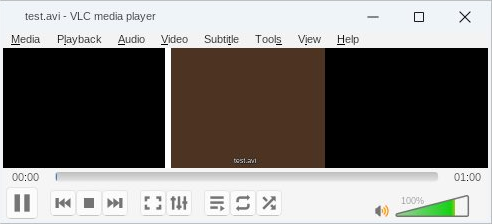
VLC 3.0.21 installs and plays too, sound included (you can see it in action in this tweet):
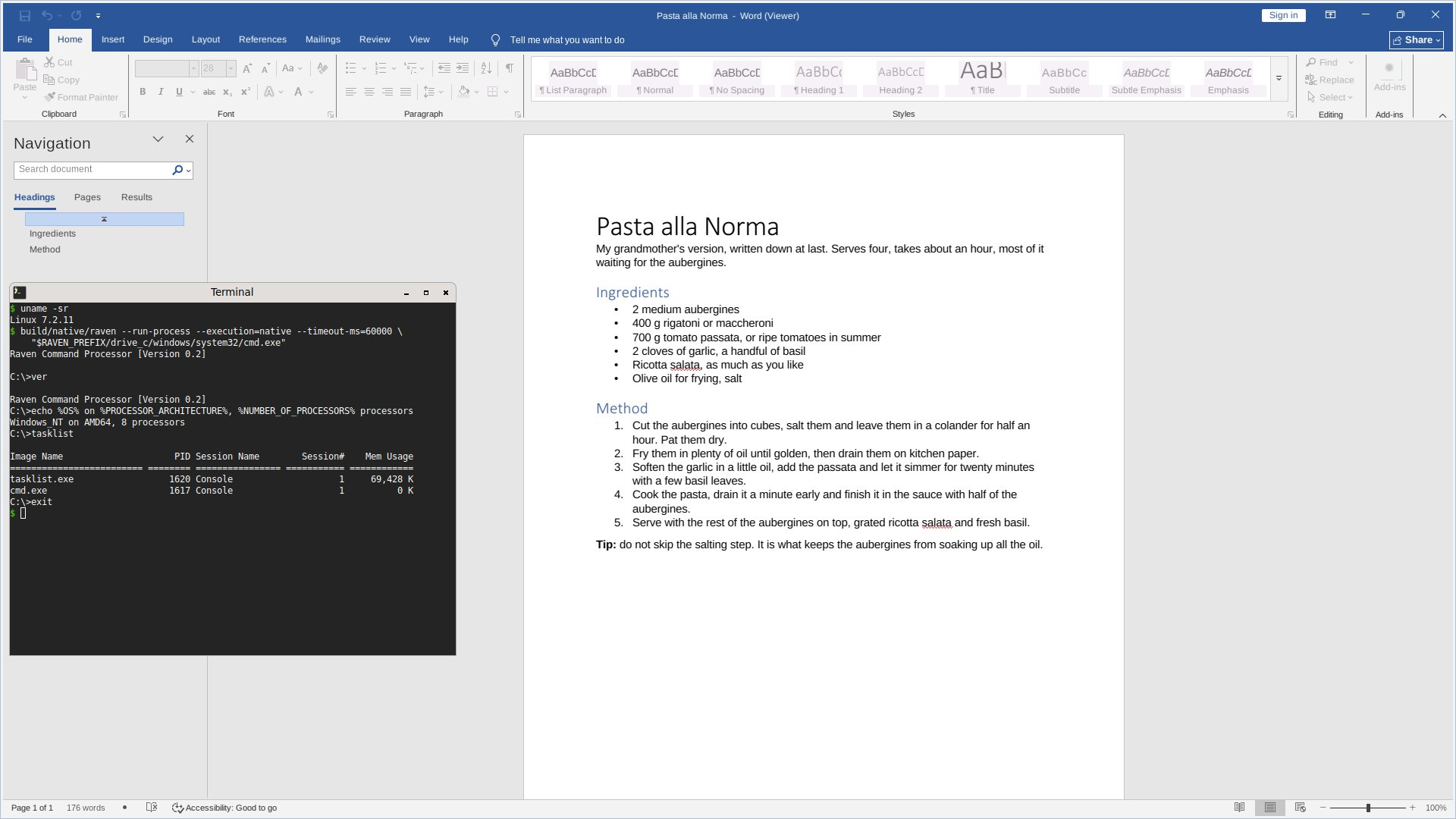
And Microsoft Word! In the last post it just started in viewer mode, now it’s getting more and more stable (but it’s still unstable, don’t use it for your thesis pls lol). Here it is showing a recipe for pasta alla Norma (yes, I was hungry), next to Raven’s own cmd.exe in a terminal:
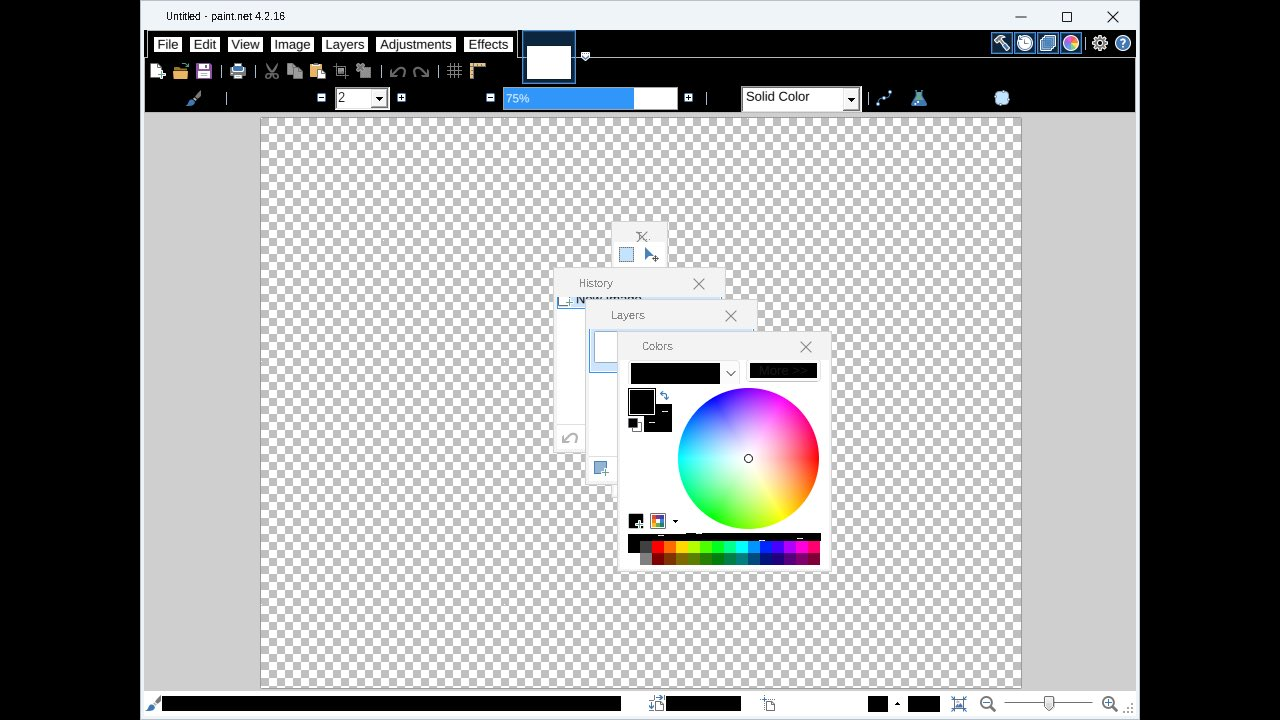
Mp3tag got a long list of fixes, and a lot of Direct2D, DirectComposition and WIC work went in for Paint.NET, which is what I’m working on right now.
And here I have to thank Rick Brewster, the creator of Paint.NET, who shared with me a lot of useful tips on Twitter about how it draws and what it expects from Windows, which saved me days of guessing <3
How it started:
How it’s going:
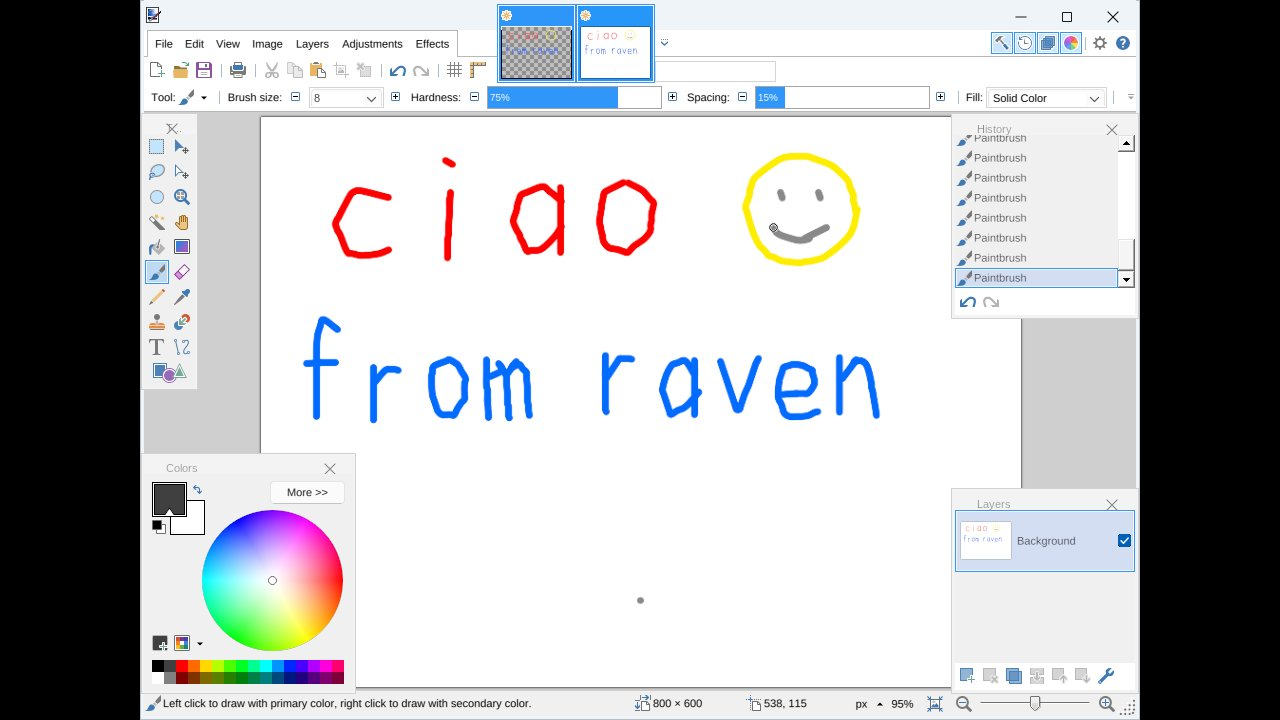
(more about it in this tweet)
No more building it yourself
Until now, trying Raven meant cloning the repo, installing a toolchain and building the whole thing, which is fine if you like that kind of thing (I don’t lol) but not exactly friendly. Now there’s a nightly build, made every night from main, so you can install it like adults do 😎
curl -LO https://github.com/mirkobrombin/raven/releases/download/nightly/raven-nightly-linux-x86_64.tar.gz
tar -xzf raven-nightly-linux-x86_64.tar.gz
./runtime/raven --run-process --execution=native --desktop=wayland /path/to/program.exe
It’s a nightly, so expect things to break from time to time, and when they do, please open an issue and tell me which build you were on: it’s written in BUILD-INFO.json inside the archive.
The numbers
Same machine, same programs, same software Vulkan as the last time, against Wine 11.0 and Soda 11.0-32-experimental:
| Workload | Raven in October | Raven now | Wine 11.0 | Soda 11.0-32 |
|---|---|---|---|---|
| Process start-up | 0.04 s | 0.04 s | 3.91 s | 0.82 s |
| SQLite query, 8 million rows | 1.61 s | 1.47 s | 5.20 s | 2.42 s |
| Direct3D 11 triangle | 0.13 s | 0.11 s | 4.51 s | did not finish |
| Notepad++ main window | 0.73 s | 0.52 s | 0.89 s | 0.78 s |
| ClassiCube launcher window | 0.11 s | 0.11 s | 0.52 s | 0.52 s |
| Direct3D 11 frames | 2,392 fps | 2,587 fps | 1,876 fps | 1,870 fps |
| ClassiCube | 71.5 fps | 90.5 fps | 85.5 fps | 85.0 fps |
ClassiCube went from 71.5 to 90.5 fps since the October numbers, mostly because presenting a frame and submitting work to Vulkan don’t wait for the turn anymore.
Now, the one that annoyed me. When I ran these the first time, Notepad++ was the only row where Raven wasn’t ahead: 0.74 seconds to the main window, against 0.73 for Wine. Raven starts a process in a fraction of what Wine needs, so something was clearly wrong.
It turns out that when Notepad++ starts, it checks every file it remembers on a thread of its own: it creates a thread, waits for it, closes it, 87 times in a row.. and in Raven a new thread didn’t put itself in line for its first turn. If the thread that created it went to wait fast enough, the new one sat there until Raven’s next look at all the threads, which can be several milliseconds later. A few milliseconds, 87 times.. you do the math :/
Now a new thread lines up by itself as soon as it exists. On a small program that does the same thing 300 times, creating and waiting for a thread went from about 1.2 ms to 0.44 ms, and Notepad++ now shows its window in 0.52 seconds, against 0.89 for Wine and 0.78 for Soda in the same run. There’s a test for it as well, which fails on the old build and passes on the new one, so it won’t come back silently.
Everything about how these were measured, the raw samples and the commands to run them yourself, is on the benchmarks page.
Thanks
As always, thanks to everyone who opened an issue or sent a pull request, especially the ones that came with a program I had never tried and the exact point where it stopped. Keep them coming.
And if something got slower for you with the parallel threads, please tell me. It’s the kind of change that can make one program much faster and another one strange in ways I can’t see here.
Mirko